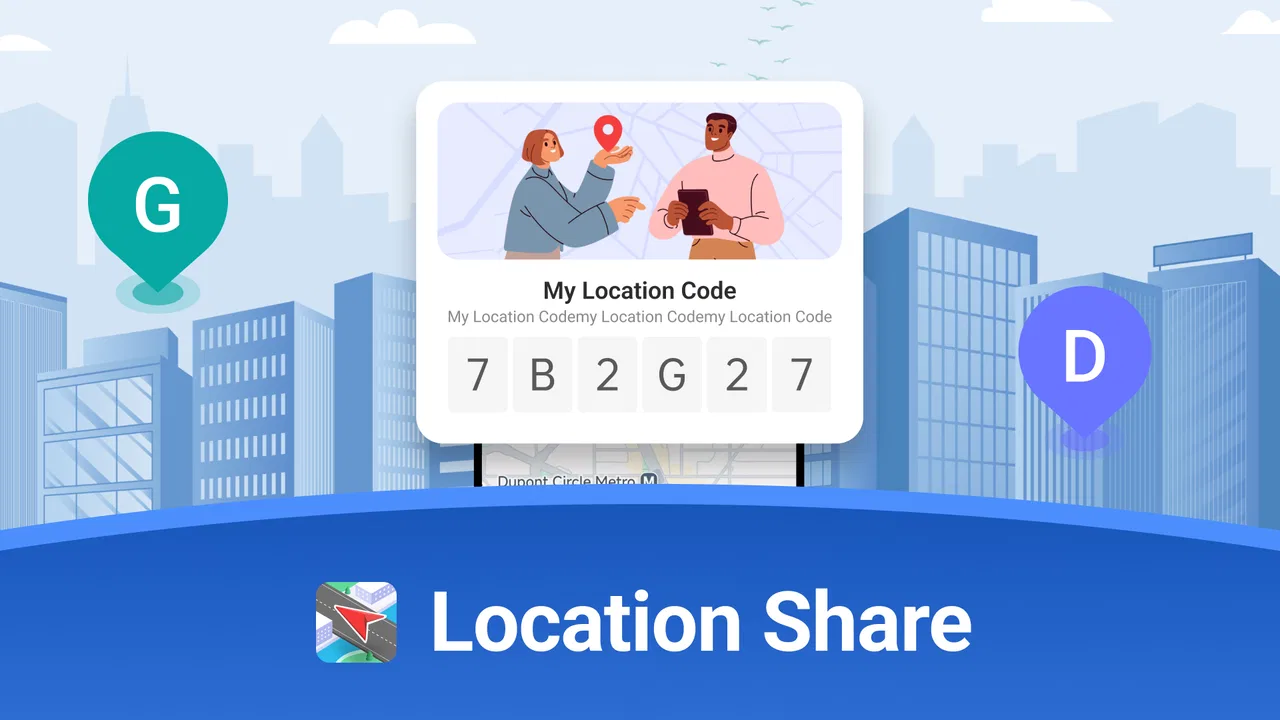
Location Share: Live Tracker
- 4.0
- Rating
- 100.00K
- Installs
- Free
- Price

 Analysis by App-foxy
Keeping track of people you care about can be surprisingly difficult, especially when everyone is moving between work, school, errands, and appointments. Location Share: Live Tracker approaches that everyday problem from the Maps & Navigation side of the app world, with a simple purpose: helping family and friends share their location. I spent time looking at where that idea is useful, where it can become inconvenient, and whether the free access makes sense for different kinds of users.
My first impression is that this is a focused tool rather than a full navigation replacement. It is not the kind of app I would open to plan a complicated road trip or compare routes. Its appeal is more personal: creating a shared sense of where people are when timing matters. That can be helpful for families, couples, friends meeting up, or anyone who wants a clearer picture of a group’s movements without relying on a chain of messages.
How Location Share fits into everyday location sharing
Location Share: Live Tracker is a free Android app in the Maps & Navigation category, developed by WINDWAVE LIMITED. It is suitable for Everyone, and the current version is 1.2.23. The app was released on January 10, 2025, and requires Android 7.0 or newer. Those details make it accessible to a broad range of Android phones, including devices that are not running the newest operating system.
You May Also Like

 Blood Strike: 2.5 Anniversary
Blood Strike’s Loadouts Turn Every Drop Into a Tactical Gamble
A close look at Blood Strike’s custom loadouts: how fast access to signature weapons reshapes its battle royale rhythm, rewards preparation, and narrows the gap between fights.

 Pandora - Music & Podcasts
Pandora’s Music Is Easy to Start, but Harder to Recover
Pandora’s strength is its low-effort path from a seed to a station. Its weak spot is how much confidence it asks you to place in connection, setup, and quiet recovery.

 8 Ball Pool
 Is Built on Rivalries, Rematches, and Routine
A close look at the rivalries, rematches, shared routines, and unanswered safety questions that turn a quick pool match into a persistent mobile community.

 Samsung Music
’s Quiet Strength Is Playing What You Already Own
Its reach comes less from spectacle than from dependable access to a personal library. That simplicity is both the app’s strongest retention engine and its ceiling.

 AccuWeather: Weather Radar
AccuWeather Review: A Quick, Clear Forecast for Everyday Decisions
For everyday plans, the best forecast is the one you can understand quickly. AccuWeather makes rain timing, radar, and local conditions easy to act on, with a few trade-offs.

 Hill Climb Racing
Why Hill Climb Racing Still Turns Crashes Into One More Run
A tiny car, a bumpy hill and one more upgrade: Hill Climb Racing keeps resurfacing because its simple chaos makes every near-miss feel personal.
More From Our News Desk



The public response is reasonably positive, with a 4.0 average from around 239 ratings and around 19 written reviews. It has passed 100K installs, which suggests that the concept has attracted a meaningful audience without making the app feel like an unavoidable mainstream platform. I would read those figures as a sign of practical interest, not as proof that it will suit every household or friend group.
The store summary presents the app as a way to improve safety for family and friends, while its short description focuses on location sharing. That distinction matters. The useful question is not whether it can replace every map application, but whether it gives your chosen contacts a convenient way to stay aware of one another. If that is the problem you are trying to solve, the app has a clear reason to exist.
A realistic family scenario
Imagine a parent waiting for a teenager to return from an after-school activity. The teenager is travelling home, the parent is preparing dinner, and repeated “Where are you?” messages are becoming irritating for both sides. A location-sharing tool can reduce that back-and-forth by giving the family a shared reference point. The parent does not need to interrupt the teenager, and the teenager does not need to stop and type an update while travelling.
The same idea works for a group of friends meeting in an unfamiliar area. Instead of describing a nearby entrance or sending several messages about which street corner someone is standing on, members can use shared location information to understand the situation more quickly. This is especially useful when people arrive at different times and landmarks are confusing.
There is also a quieter use case: checking on a loved one during a long journey. Location sharing can offer reassurance when a person is travelling alone, provided everyone involved understands what is being shared and for how long. I would not treat it as a substitute for emergency services or as a guarantee of safety, but it can make ordinary coordination less stressful.
What the free price means in practice
The app is free, so there is no purchase decision to make before trying it. That is its clearest value advantage. Someone who only needs location sharing occasionally can test whether it fits their household without committing money first. For a small group of friends, that low barrier is useful because one hesitant person does not have to justify a subscription or one-time payment before joining.
Free access does not automatically make an app the best choice, though. The real value depends on whether the people you want to coordinate with are comfortable installing and using the same service. A free tool that nobody opens is less useful than a paid or built-in alternative that everyone already understands. I would therefore judge the price together with convenience, trust, and participation rather than looking at “free” as the only advantage.
For a household that wants a dedicated location-sharing app and is happy to establish a routine around it, the cost is appealing. For someone who already uses a familiar map service with trusted contacts, the free price may not be enough reason to change. Switching apps creates a small amount of friction: people must agree on the tool, install it, and learn how the sharing arrangement works.
Where the app can save time
The strongest benefit is reducing unnecessary conversation. Location sharing is most useful when the same question keeps coming up: Has the person left yet? Are they close? Did they take the expected route? A shared view can make those updates easier to understand than isolated text messages, particularly when several people are involved.
Another advantage is that the app’s purpose is easy to explain. I would be more comfortable introducing it to a relative who does not want a complicated social network or a feature-heavy navigation suite. Its identity is straightforward: it is about sharing location with people you know. That narrow focus can be an asset when the goal is coordination rather than entertainment or discovery.
A practical tip is to agree on the reason for sharing before anyone turns it on. “Share while travelling home” is a clearer arrangement than “share all the time.” Even when an app makes sharing technically simple, the social agreement around it determines whether the experience feels supportive or intrusive. I would also tell every participant who can see the location and when the arrangement should end.
Important tradeoffs before you rely on it
The biggest limitation is that location sharing involves trust. The app can help people stay informed, but it cannot decide whether a particular sharing arrangement is healthy. In a family, expectations can become unclear; among friends, one person may feel pressured to participate. I would never install it on someone else’s phone or treat access to a location as something that should be assumed.
There is also a difference between knowing a person’s location and knowing that person is safe. A map position may not explain why someone has stopped, whether their phone is nearby, or whether they can respond. For that reason, I see this app as a coordination aid, not a complete safety system. If a situation is urgent, direct contact and appropriate emergency help remain more important than waiting for a map to update.
Battery and connectivity are practical concerns with any live location tool, even though I would not make assumptions about the app’s exact technical behavior. Location-based services depend on the phone, its connection, and the user’s settings. If someone is travelling through an area with weak service, the information may be less useful than expected. I would keep that limitation in mind before planning a safety routine around any single app.
Privacy is another tradeoff that deserves a deliberate conversation. Before creating a group, I would ask whether everyone understands the audience for the shared location and whether the arrangement is temporary or ongoing. I would also avoid sharing with a large, loosely controlled group when a smaller circle would achieve the same purpose. The more people who receive sensitive information, the more carefully the group needs to be managed.
How it compares with familiar alternatives
Many Android users already have access to map applications that include some form of location sharing. Those built-in or widely used alternatives may be better when your contacts already rely on them, because there is less setup and fewer separate apps to remember. They may also be preferable if you need detailed route planning, traffic information, place searches, or broader navigation features alongside location sharing.
Location Share: Live Tracker makes more sense when you want a dedicated tool rather than another feature buried inside a large map platform. Its focused identity can make the purpose clearer to a family group. The tradeoff is that a dedicated app only becomes convenient when the relevant people agree to use it. If your contacts are already comfortable with another service, the benefit of changing may be modest.
I would choose a conventional navigation app for a solo journey where route guidance is the main need. I would consider this app when the central question is where members of a trusted group are in relation to one another. That is a narrower situation, but it is also where a focused location-sharing experience can feel less cluttered than a full navigation package.
Who is likely to get the most value?
This app is a good candidate for families who regularly coordinate pickups, commutes, school activities, or evening arrivals. It can also suit couples who want a simple way to share whereabouts during travel, and groups of friends who often meet in busy or unfamiliar places. The free price is particularly helpful for trying the arrangement with a small circle before deciding whether it deserves a permanent place on everyone’s phones.
It may also help people who dislike constant messaging but still want a basic sense of progress during a journey. A person can share location instead of sending repeated updates, which may make coordination feel less demanding. The benefit is greatest when the group has a clear purpose and everyone participates willingly.
I would be more cautious about recommending it to someone who wants advanced navigation, offline route planning, public transport guidance, or a complete travel toolkit. This is not the app I would pick simply because I need directions. I would also suggest skipping it if your contacts refuse to install separate apps or already have a trusted location-sharing routine that works well.
Another group that should think carefully is anyone seeking constant reassurance. Location sharing can reduce uncertainty, but it can also encourage frequent checking. If the habit becomes a source of anxiety or surveillance, the technology is no longer delivering healthy value. In that situation, a limited, clearly timed sharing arrangement—or no sharing at all—may be the better decision.
Questions I would settle before installing
Will everyone need the same phone type? The listed minimum is Android 7.0, so the app is designed to support a relatively wide range of Android devices. I would still make sure each participant’s phone is compatible and functioning properly before relying on it for an important journey. Compatibility is only the first step; the group also needs to agree on how it will use the app.
Is it genuinely free to start? Yes, the app is listed as free, which means you can try it without an upfront purchase. That makes experimentation straightforward. I would nevertheless evaluate the experience by asking whether it replaces enough messages and confusion to justify keeping it, rather than assuming that no payment means no tradeoffs.
Can it replace a phone call in an emergency? I would not use it that way. A location display is not a conversation, a confirmation of wellbeing, or professional assistance. It is best treated as supporting information for ordinary coordination. If a person may be in danger, direct contact and emergency services should take priority.
Should location be shared continuously? My answer is no by default. I would begin with a specific purpose, such as a trip home or a meetup, and make sure participants understand the arrangement. A temporary workflow is easier to explain and review than an indefinite one. It also helps prevent a useful coordination tool from becoming an automatic expectation.
Is a separate app better than an existing map service? That depends on your group. If everyone already uses a familiar alternative, staying there may be more convenient. If you want a focused, free option dedicated to sharing locations with family and friends, this app is worth testing. The deciding factor is not the download itself; it is whether the people who matter will actually use it consistently.
My final view on the free download
After weighing the practical benefits against the social and technical tradeoffs, I see Location Share: Live Tracker as a sensible niche app rather than an all-purpose navigation solution. Its free access makes the trial easy, and its purpose is clear enough for families and friends who want a shared location workflow without paying first. The strongest results will come from small, trusted groups with a defined reason for sharing.
My recommendation is to try it if your current method is a messy stream of location questions and arrival updates. Start with one ordinary scenario, such as coordinating a pickup or meeting friends, and agree on expectations before sharing begins. If the app reduces confusion without creating pressure, it is delivering real value.
I would skip it if you mainly need directions, route planning, or features already handled comfortably by another map app. I would also avoid treating it as a permanent monitoring solution or an emergency guarantee. The best reason to use it is simple, voluntary coordination between people who trust one another. Within that boundary, the free price and focused purpose make it a worthwhile option for Android users looking for a dedicated way to stay connected on the map.
FAQs for Location Share: Live Tracker
01How accurate is Location Share: Live Tracker?
Location Share: Live Tracker uses GPS technology to provide real-time location updates with high accuracy. However, accuracy can vary based on factors like signal strength, device model, and environmental conditions. Users should ensure their GPS is enabled and that they have a clear view of the sky to optimize performance.
02Is Location Share: Live Tracker safe to use?
Yes, Location Share: Live Tracker prioritizes user privacy and data security. All location data is encrypted, and the app requires user consent to share their location. Be sure to review privacy settings and only share your location with trusted contacts to ensure your data remains secure.
03Can I use Location Share: Live Tracker offline?
Location Share: Live Tracker requires an internet connection to transmit location data to other users. While GPS can function offline to track your location, sharing it with others requires either Wi-Fi or mobile data. It's essential to have a reliable connection for seamless functionality.
04How do I manage battery consumption while using Location Share: Live Tracker?
GPS and real-time tracking can drain your battery quickly. To manage this, you can adjust the location update frequency in the app settings. Lower update frequency can conserve battery life. Additionally, closing other apps running in the background can help extend battery usage.
05What platforms support Location Share: Live Tracker?
Location Share: Live Tracker is available for both Android and iOS devices. Ensure your device meets the minimum OS requirements specified in the app store. Regular updates are provided to enhance compatibility and performance across various devices.
Pros
- Real-time location updates are highly accurate.
- User-friendly interface for easy navigation.
- Low battery consumption during tracking.
- Supports group location sharing seamlessly.
- Customizable privacy settings for user control.
Cons
- Requires constant internet connection for updates.
- Limited features in the free version.
- May share data with third-party services.
- Occasional location glitches in remote areas.
- Notifications can be overwhelming at times.

Location Share: Live Tracker
Gallery